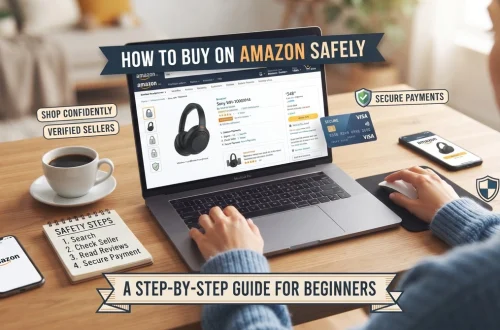
Amazon has millions of products, but that doesn’t mean you should automatically pay the first price you see.
There are several ways shoppers can potentially reduce the cost of their purchases, including Amazon coupons, promotional discounts, deals, Amazon Warehouse offers, and Prime benefits.
The trick is knowing where to look.
A product might have a coupon sitting directly underneath the price. Another might be available through Amazon Warehouse for less than a new item. And some products may temporarily receive a promotional discount through a limited-time deal.
In this guide, we’ll show you how to save money on Amazon and how to check for these opportunities before you click Buy Now.
Important: Amazon prices, coupons, deals, availability, and eligibility can change frequently. Always check the final price displayed on Amazon before completing your purchase.
1. Always Check for an Amazon Coupon
One of the easiest ways to save money is also one of the easiest to miss.
Some Amazon product pages display a coupon directly underneath or near the product price.
You may see something like:
☐ 20% coupon
or
☐ $5 coupon
If you’re eligible, you can usually click or select the coupon to apply it to the qualifying purchase.
How to Find Clipped Coupons
When you’re looking at a product:
- Scroll around the product price section.
- Look for a coupon or discount box.
- Select the coupon if one is available.
- Continue through checkout.
- Verify that the discount appears before completing the order.
The exact appearance can vary depending on your Amazon marketplace, device, and the product.
Don’t Assume the Coupon Is Automatically Applied
This is important.
If Amazon shows a coupon that needs to be selected or “clipped,” make sure you’ve actually activated it before checking out.
Before placing the order, look at your order summary and confirm that the expected discount has been applied.
2. Check the Price Before and After the Coupon
A coupon can make a product look like an amazing deal, but you should still compare the final price with competing products.
For example:
Product A
Regular price: $40
Coupon: $8
Final price: $32
Product B
Regular price: $35
No coupon
Final price: $35
Product A may be the better deal.
But now imagine:
Product A: $32 after coupon
Product B: $25 from another reputable seller
The coupon doesn’t automatically make Product A the cheapest option.
That’s why you should compare the final price, not just the advertised discount.
3. Look for Amazon Deals
Amazon has dedicated deal sections where products can receive promotional pricing.
Depending on your marketplace, you may encounter different types of deals and promotions.
One commonly recognized type is the Lightning Deal.
4. What Is an Amazon Lightning Deal?
A Lightning Deal is a promotional offer available for a limited amount of time or while promotional inventory lasts.
You may see something similar to:
Limited time deal
along with a discounted price and an indication of how much promotional inventory remains.
This creates a sense of urgency because the offer isn’t necessarily available indefinitely.
However, don’t let the countdown pressure you into buying something you don’t actually need.
A discount is only useful if:
You wanted the product + the product is worth the price + the current deal is genuinely useful to you.
5. Lightning Deals vs. Standard Pricing
This distinction is important.
Lightning Deal
A temporary promotional offer that may be available for a limited time or limited quantity.
Standard Price
The regular price currently offered for the product.
But there’s another important issue:
A “deal” isn’t necessarily the lowest price the product has ever had.
A product can be advertised as discounted while another retailer or another Amazon seller has previously offered it for less.
That’s why smart shopping involves comparing prices rather than automatically trusting the discount percentage.
6. Don’t Let the Discount Percentage Fool You
Imagine you see:
40% OFF
That sounds fantastic.
But suppose the product is currently $30 after the discount.
You might still want to investigate:
- What does the same product cost elsewhere?
- Is there a similar product for less?
- Has the product regularly sold for around this price?
- Is the discount based on a reference price that doesn’t represent what shoppers normally pay?
The most important number is the actual price you’re paying for a product you genuinely want.
7. Consider Amazon Warehouse
Another way to potentially save money is Amazon Warehouse.
Amazon Warehouse has historically offered eligible used, returned, or open-box products at reduced prices.
The exact inventory and conditions available vary.
You may encounter products described using different condition categories, so read the listing carefully before buying.
For example, a product might be:
- Like New
- Very Good
- Good
- Acceptable
The exact condition descriptions and availability can vary by marketplace.
8. Why Are Amazon Warehouse Products Cheaper?
There are many reasons a product may be sold as used or open-box.
For example:
- A customer returned it
- The packaging was opened
- The original packaging was damaged
- The product has cosmetic imperfections
- The product was previously used
- The item was otherwise classified as used inventory
A lower price doesn’t necessarily mean the product is defective.
But you should understand exactly what you’re buying.
9. Check the Condition Before Buying From Amazon Warehouse
This is extremely important.
Don’t look only at the price.
Read the condition description carefully.
Ask:
What condition is this item in?
Are accessories included?
Is the original packaging included?
Are there cosmetic imperfections?
What return options apply?
For electronics and other expensive products, these details can make a significant difference.
A $100 discount isn’t necessarily a bargain if the product doesn’t include an accessory you need.
10. Compare New vs. Used
Let’s say you want a product that costs:
New: $100
Amazon Warehouse:
Used – Very Good: $82
Your potential savings are $18.
Now ask:
Is saving $18 worth buying the used item?
For some products, absolutely.
For others, you might prefer buying new for the additional peace of mind.
There’s no universal answer.
The important thing is to compare the actual difference.
11. Make Use of Prime Benefits
If you have an Amazon Prime membership, check which benefits are available to you before purchasing.
Prime benefits vary by country and can change over time, but may include benefits related to delivery, entertainment, or other Amazon services.
For shopping specifically, Prime can be useful when you’re comparing products with different shipping costs or delivery options.
But don’t make the mistake of buying something you don’t need simply because you’re trying to “use” your Prime membership.
The best savings are often the purchases you don’t make.
12. Free Shipping Isn’t Always the Same as Saving Money
Imagine two products:
Product A: $25 + $5 shipping
Product B: $29 with eligible free shipping
Product B may actually be cheaper overall.
Always compare:
Product price + shipping + applicable taxes/fees
rather than looking at the headline product price alone.
13. Compare Sellers on the Same Product
Amazon may have multiple sellers offering what appears to be the same product.
Before buying, check:
- Product price
- Seller
- Shipping cost
- Delivery date
- Condition
- Return information
A third-party seller might offer the product for less than another seller.
However, price shouldn’t be the only consideration.
Seller reputation and fulfillment arrangements matter too.
14. Check for Different Product Sizes
This is one of the easiest ways to accidentally overpay.
Imagine you’re buying storage bags.
Option A:
20 bags — $10
Option B:
50 bags — $18
Option B has a higher total price, but the cost per bag is much lower.
Calculate:
Price ÷ quantity = price per item
This works for:
- Cleaning products
- Storage containers
- Trash bags
- Food storage
- Office supplies
- Pet supplies
- Household products
A larger package isn’t always cheaper, so compare the unit price when possible.
15. Don’t Buy Something Just Because It’s on Sale
This might be the most important money-saving tip in this entire article.
A product discounted from $50 to $35 isn’t saving you $15 if you didn’t need the product.
You’re still spending $35.
Before purchasing, ask:
“Would I buy this if it weren’t marked as a deal?”
If the answer is no, consider leaving it in your cart.
A discount is not a saving if it causes you to spend money unnecessarily.
16. Add Products to Your Cart and Compare
If you’re not in a hurry, don’t always purchase immediately.
Add the products you’re considering to your cart or wishlist and compare them.
This gives you time to check:
- Other sellers
- Similar products
- Coupons
- Shipping
- Reviews
- Product specifications
- Current promotions
For expensive purchases, taking an extra few minutes can prevent an impulsive decision.
17. Check the Final Checkout Price
Before you place an order, look at the final order summary.
Verify:
- Product price
- Coupon discount
- Shipping
- Taxes
- Quantity
- Any promotional discount
The final checkout total is what matters.
Don’t rely solely on the price shown in a search result or advertisement.
18. Watch for Price Changes
Amazon prices can change.
A product that costs $25 today could cost $30 tomorrow and $22 later.
This is particularly relevant for products that frequently receive promotions.
If you’re not in a hurry, you can monitor the product rather than buying immediately.
For expensive products, price-tracking tools can also help you understand historical pricing and identify whether the current price is genuinely attractive.
19. Stack Savings Carefully
The phrase “stacking savings” can sound complicated.
In practice, it means checking whether multiple legitimate savings opportunities apply to the same purchase.
For example, depending on the product and your account, you might encounter:
Product discount + Amazon coupon + eligible Prime shipping
Not every promotion can be combined with every other promotion.
Amazon determines the eligibility and terms of each offer.
So don’t assume that every coupon, promotion, and deal can be stacked.
Instead:
- Find the promotional price.
- Check whether a coupon is available.
- Check whether your account qualifies.
- Review the terms.
- Verify the final checkout price.
20. Our Simple Amazon Savings Checklist
Before purchasing, run through this checklist:
☐ Is there a coupon on the product page?
☐ Did I actually activate the coupon?
☐ Is the item currently part of an Amazon deal?
☐ Is the deal price actually competitive?
☐ Did I compare other sellers?
☐ Is Amazon Warehouse offering the product?
☐ If buying used, did I check the condition?
☐ Did I compare new vs. used pricing?
☐ Did I check shipping costs?
☐ Did I check whether Prime benefits apply?
☐ Did I compare the price per unit?
☐ Did I check the final checkout price?
☐ Do I actually need the product?
If you’ve answered these questions, you’re much less likely to buy something simply because Amazon made the discount look exciting.
How Our Affiliate Links Fit Into This
Some links on this website are affiliate links.
That means if you click one of our Amazon links and make a qualifying purchase, we may earn a small commission from Amazon.
You don’t pay extra for using our affiliate links.
More importantly, you can still use the same money-saving techniques we’ve described in this article.
For example, if you click one of our links and Amazon shows you:
- A coupon
- A promotional price
- A Lightning Deal
- An eligible Warehouse option
- Prime benefits
you can evaluate those savings just as you normally would.
The affiliate link doesn’t prevent you from comparing prices or using eligible Amazon promotions.
Using Our Links Is One Way to Support Our Website
We spend time researching products, comparing options, reading customer feedback, and creating buying guides.
When you use one of our affiliate links for a purchase you’re already planning to make, Amazon may pay us a small commission.
You don’t pay an additional fee.
That commission helps us cover the costs of running the website and producing more free buying guides.
Think of it as a simple way to support our research without paying us directly.
But never feel pressured to purchase something just to support us.
If you don’t need the product, don’t buy it.
Saving $30 by not buying something unnecessary is better than spending $30 because a discount looked attractive.
The Smart Shopper’s Formula
Here’s the approach we recommend:
Need + Good Product + Good Price + Appropriate Seller = Smart Purchase
Not:
Big Discount = Buy Now
A genuinely good deal combines a product you actually need with a price you’re comfortable paying.
Final Thoughts
Learning how to save money on Amazon isn’t about chasing every coupon or buying every Lightning Deal.
It’s about becoming a smarter shopper.
Before buying, check for:
- Clipped coupons
- Deal pricing
- Amazon Warehouse options
- Prime benefits
- Other sellers
- Shipping costs
- Unit pricing
- Historical pricing when appropriate
- The final checkout total
And remember the most important rule:
The best deal is not necessarily the product with the biggest discount. It’s the product that gives you the value you need at a price you’re comfortable paying.
If you find a product through one of our affiliate links, you’re welcome to use the same coupons, deals, and savings opportunities available to you on Amazon.
You pay the normal price, Amazon handles the transaction, and if the purchase qualifies, we may earn a small commission that helps keep this website running and our buying guides free.